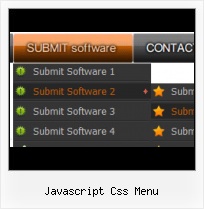
Javascript Css Menu Screenshots


Menu, Button, and Icon Collection

Vista JavaScript Menu provides huge collection of 1400 web buttons, 6600 icons, 300 ready-made samples, so you'll create really nice looking menus and buttons with little or nodesign skills at all! Web 2.0, Mac, iPhone, Aqua buttons, Vista, XP, transparent, round, glossy, metallic, 3d, tab menus, drop down menus will be a breeze!

Button and Icon Samples

Video Tutorial


Vista JavaScript Menu is a dedicated tool for creating professional, cross browser css menus and rollover buttons. Thousands of hi-quality icons and pre-made menu templates in Web 2.0, Vista, Mac, XP, Glossy styles included. No design skills, no HTML, JavaScript, CSS or any other coding required.


Features

Orientation of the Menu
Create both horizontal and vertical menus and submenus with any amount of menus on one page.

javascript context sub menu Ready to use button templates and submenus themes.
In the Themes toolbox you can choose selected buttons and submenu themes for web appearance.

pull open menu tab Css Drop Down Menus
Create drop down menus based on css using Vista JavaScript Menu. Make various styles for each submenu item adjusting css styles.

menu horizontal dos niveles con divs Javascript Css Menu Padding and Spacing
Specify various values for padding and spacing for the whole menu and for each separate submenu.

Save project. Save your image buttons as html
You can save current project in the project file (*.xwb) or into the HTML file (*.html).

Overlap all Html Elements on the Page
Submenus drop down over all the objects of the page (select, flash, object, embed).


2.0 Buttons by Web-Buttons.com v3.0.0

How to Use Javascript Menu Generator

  • 1) File menu


    New - to create new project.

    Open - to open saved project. You will be asked if you would like to save the current project in the menu buttons creator.

    Save - to save current project in the project file (*.xwb). When you save to project file, the directory "ProjectName.xwb.icons" is created, where ProjectName is the name of your project file. This directory contains button icons, .css and .js files of the saved menu.

    Save as… - to save current project in the project file (*.xwb) or in the HTML file or to save your project under another name. Choose type from the "File type" list in the "Save as…" dialog and enter project's (new) name. When you save to project file, the directory "ProjectName.xwb.icons" is created, where ProjectName is the name of your project file. This directory contains button icons, .css and .js files of the saved menu. If the menu doesn't have any icons then the directory is not created.

    Save as HTML - to save current project into the HTML file (*.html). Project HTML file will be saved then, and the directory created, containing buttons' images. The directory name will be: "YourProjectName-files", where YourProjectName is the name of the HTML file saved. For example: if you enter "Header" in the "Name" field of the "Save as…" dialog, then "Header.html" and directory named "Header-files" will be created.

    Exit - to close Vista JavaScript Menu application.


    2) Tools

    Export images - to save menu buttons' images as gif-files (*.gif), png-files (*.png) or jpg-files (*.jpg). "Save As…" dialog will appear, where you can either type each button name or leave it unchanged. If you want to save the button images, press "Save". "Save settings" dialog will appear where you can choose image format. Either way (if you don't want the button images to be saved), press "Cancel". This procedure will be repeated for all the menu buttons. When you press "Save", 1 to 3 images are to be saved, depending on the menu type. Their names will be: ButtonName_0.gif - ButtonName_2.gif, where ButtonName is the name you have entered when saving.

    • ButtonName_0 - corresponds to Normal state.
    • ButtonName_1 - Hot state image.
    • ButtonName_2 - corresponds to pressed/clicked state.


    Theme editor - to edit/create new themes.

    Page insert - you can insert your menu into the existing HTML page.

    3) Languages menu


    The "Languages" menu contains the list of available interface languages. English is the default language setting.


    4) Help menu


    Help - to read the help.

    About -show information about Vista JavaScript Menu.


Support

Please contact Customer Support at (please include template name in the message title)


FAQ

Related

JavaScriptBank.com - JavaScript CSS menu This JavaScript menu is created completely by CSS.JavaScript CSS menu - CSS menu

In the Woods Multi-level Menus with jQuery and CSS [JS/CSS] JavaScript Dropdown Menu with Multi Levels Leigeber.com ... <script type="text/javascript"> $(function() { // If no JS CSS menu will still work $("#menu2").removeClass ...

SmartMenus DHTML Menu / JavaScript Menu - Accessible List ... One of the most advanced accessible list-based/CSS driven website menu scripts available worldwide. Simple-to-use and highly cross-browser.

Ajatix - Pure CSS Menu - Dreamweaver Extension Create lightweight and accessible JavaScript-free pure CSS drop down menus with ease and grace. ... True pure CSS drop down menus require no JavaScript at all and work ...

JavaScript Kit- JavaScript Menu and redirection Click here for comprehensive JavaScript tutorials, and over 400+ free scripts! ... A CSS based tab menu that supports a secondary level of menu items. ...

Ajatix - Pure CSS Menu - Dreamweaver Extension Create lightweight and accessible JavaScript-free pure CSS drop down menus with ease and grace. ... True pure CSS drop down menus require no JavaScript at all and work ...

CSS Dock Menu Tags: Javascript. If you are a big Mac fan, you will love this CSS dock menu. It is using Jquery library and Fisheye component from Interface and some of my icons. ...

CSS+Javascript power. Fancy menu " Devthought CSS+Javascript power. Fancy menu. This post discusses a project which has its own page. ... Thanks to our smart CSS code, our Javascript is very short and simple. ...

Easy CSS Dropdown Menus You don't need Flash for a beautiful dropdown menu. This one uses HTML and CSS, and works in all modern web browsers!

Implementing drop-down menus in pure CSS (no JavaScript ... Why CSS, and not JavaScript? JavaScript is often disabled by users, as a security measure, ... Also, a pure JavaScript menu is not available for browsers that don't ...

Pure CSS menus CSS menus. This uses just CSS 2 to turn nested lists into a working ... With many browsers, the menu will work, even if the user has disabled JavaScript. ...

Black Red Menu Template - CSS Menu Pulldown - Templates Black Red Menu Template - CSS Menu Pulldown . Deluxe Menu is cross-frame and cross-browser DHTML Javascript menu with a lot of powerful features, flexible parameters ...

Accessible fold-out menu using CSS and Javascript by Advies ... The CSS file you include from your xhtml file should contain the menu styling for the non-javascript, i.e. non fold-out version of the menu. ...

JavaScript Menu, DHTML Menu, Popup Tooltip, Ajax Scripts ... FreeStyle Menu v1.0 RC12. A very flexible unlimited-level, drop down JavaScript menu that uses UL/LI list data formatted with a CSS menu layout. ...

Accessible fold-out menu using CSS and Javascript by Advies ... The CSS file you include from your xhtml file should contain the menu styling for the non-javascript, i.e. non fold-out version of the menu. ...

CSS Express Pure CSS Drop-Down and Popup Menus by PVII What the heck is a pure CSS menu? Pure CSS menus use the hover pseudoclass, on the LI tag, to hide and show drop-down menus without JavaScript. ...